
Edit a Visit from the calendar
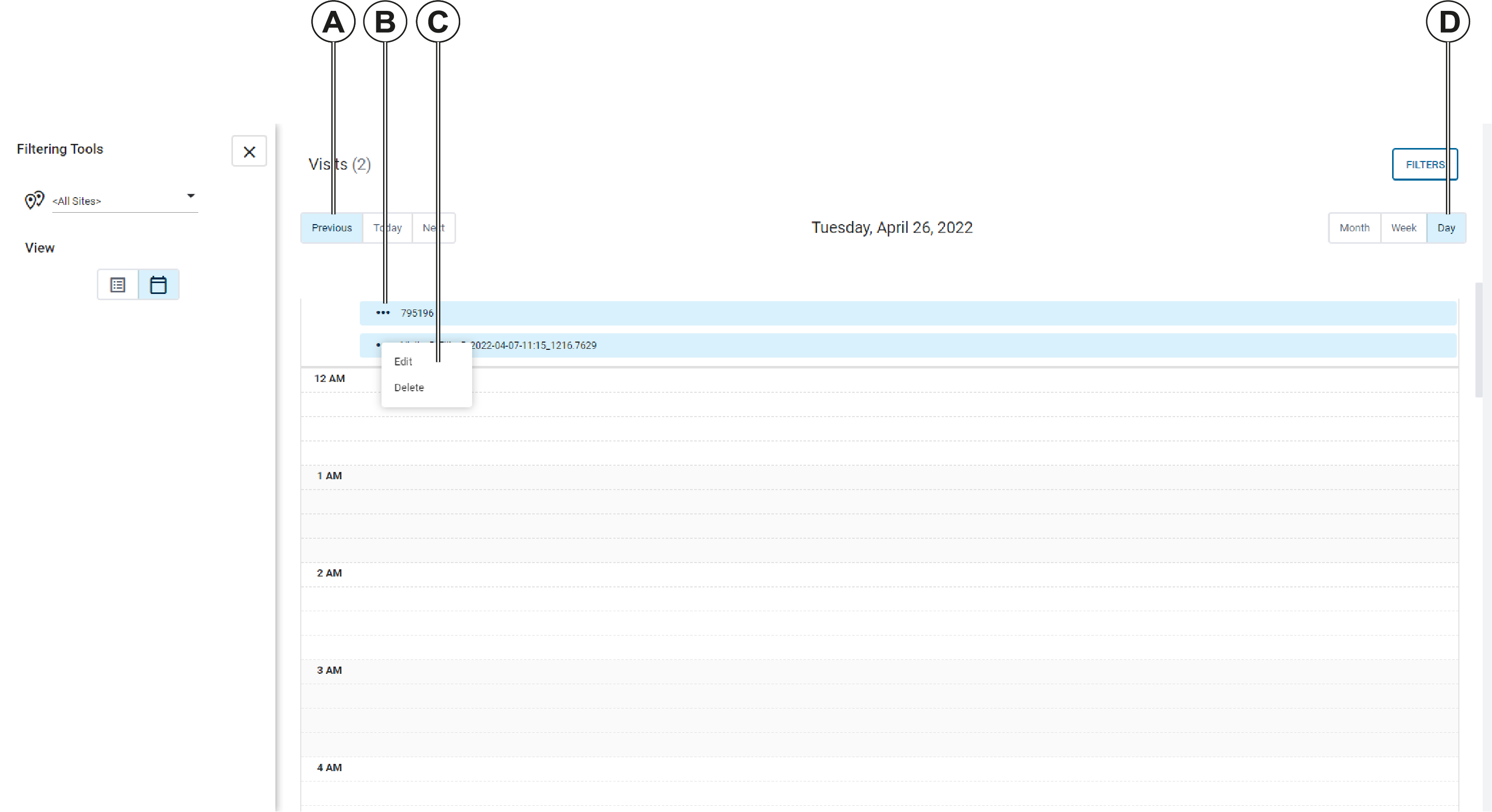
You can navigate to a date on the calendar using the Previous and Next buttons, then click on a Visit in the calendar to edit the details.
| Callout | Description |
|---|---|
| A | Use the Previous and Next buttons to navigate through the days, weeks, or months on the calendar. |
| B | Click the Visit options button to access the context menu. |
| C | The Visit context menu. From this menu, you can edit or delete an event. |
| D | Change Calendar view. Use these buttons to change the calendar time period. You can select month, week, or day. |
If you select the Edit option, the Visit Details screen opens and you can edit the Visit. See Editing a Visit.