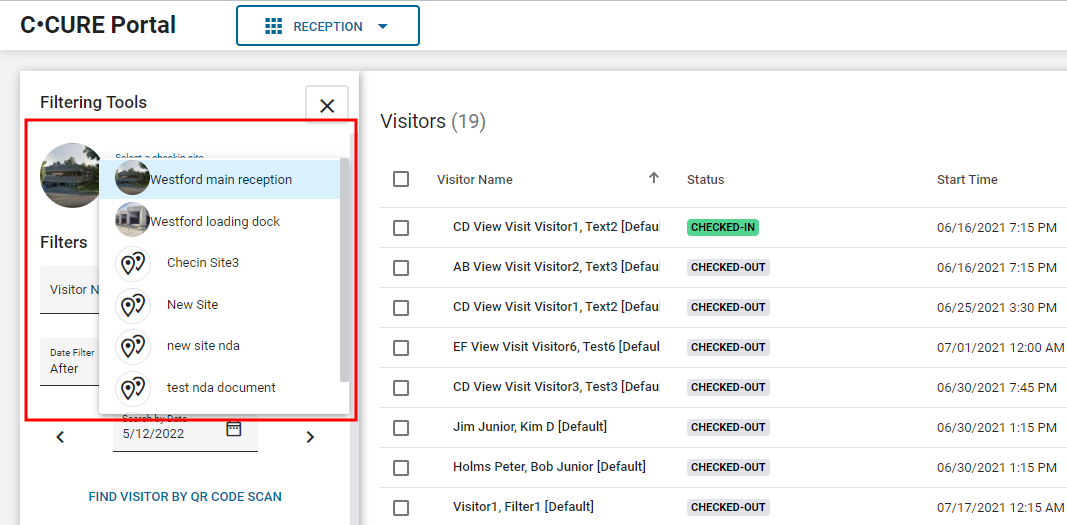
To select the Check-in Site that you want to use to manage Visitors, in the
Filtering Tools pane, click the Select a
Check-in Site list, and then select a Check-in Site.
Note: To avoid time zone inconsistencies, the selected
Check-in Site and the Visits associated with it must have the same time zone
settings as the time zone of the Host's browser.