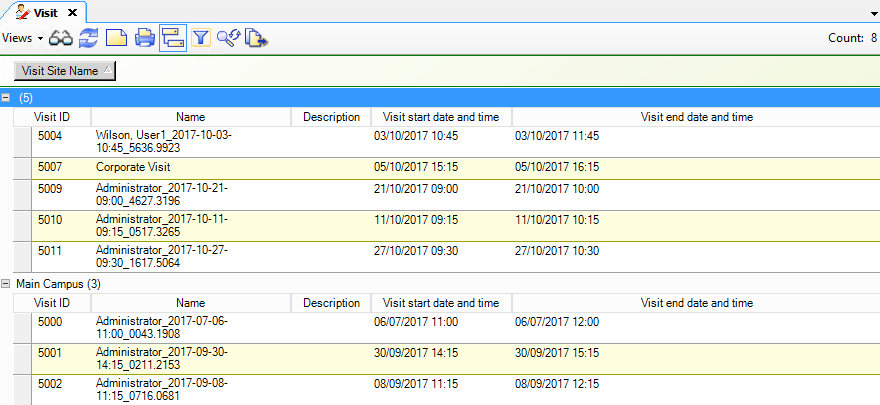
The Visit dynamic view is a list of all of the visits in the
system. You can double-click a Visit in the list to open the Visit editor to configure
or modify the visit. See Accessing the Visit editor.
You can filter, group,
refresh, and print the Visit dynamic view. Refer to theDynamic View
chapter in the C•CURE 9000 Data Views Guide for more
information.
You can also add columns to the dynamic view by right-clicking on
a column heading and selecting the column you want to add.
Two useful columns
to add are Visit Site Name and Visit Template Name. These are shown in Visit dynamic view.
Figure 1. Visit dynamic view
You can also view visits and Visit Sites that a personnel record has access to.
To open a list of visits and open a visit from there, in the Personnel dynamic view,
select Show Associations from the context menu.