
Check-in Site - Receptionists tab
Use the Check-in Site Receptionists tab to assign the receptionists who can use this Check-in Site on the Visit Web Portal.
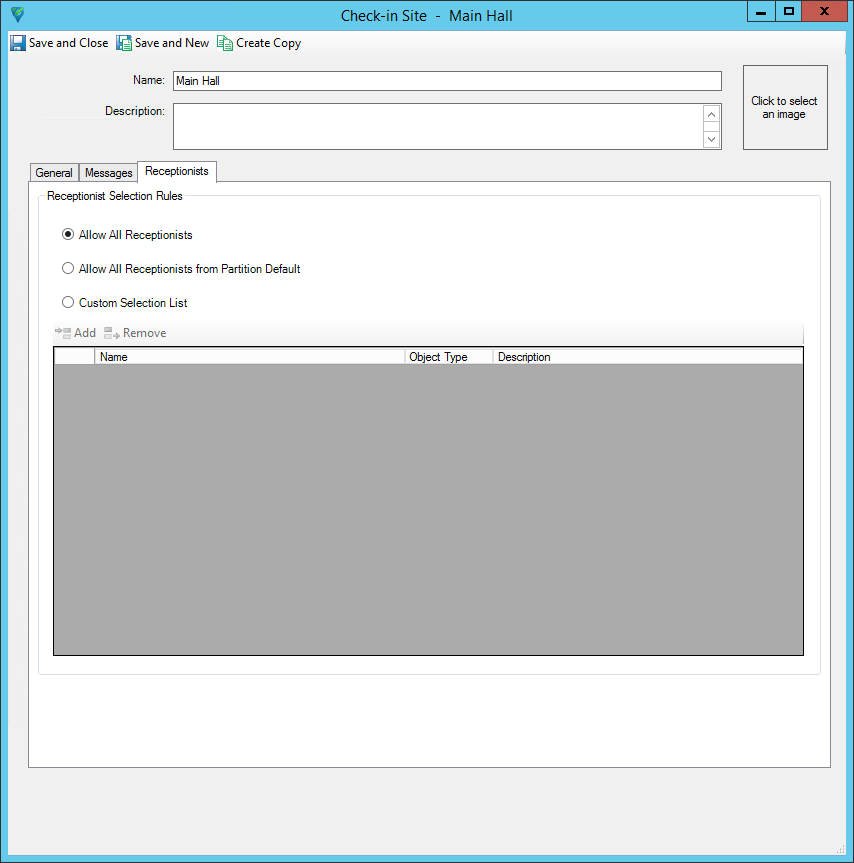
| Field/Button | Description |
|---|---|
|
Allow All Receptionists |
Select this option to allow all receptionists to use this Check-In Site on the Visit Web Portal. |
|
Allow All Receptionists from Partition Default |
Select this option to allow only receptionists from this Check-in Site partition to use this Check-in Site on the Visit Web Portal. |
|
Custom Selection List |
Select this option to customize which specific receptionists and which receptionists from which partitions can use this Check-in Site on the Visit Web Portal. When you select this option, the Add button and the Custom Selection list on the bottom of the tab become available. Selecting a partition allows all Hosts in the partition to use this Visit Site. Selecting a personnel record allows this Host to use this Visit Site. Only personnel records with Can Host Visits are available for option. There can be multiple partitions and personnel selected, up to a maximum of 100 items each. |
|
Add |
Click to add one or more partitions and personnel to the Custom Selection list. |
|
Remove |
Click to remove the selected partition or personnel from the Custom Selection list. |
|
Name |
Displays the name of the selected personnel or partition. |
|
Object Type |
Displays the object type of the selected item, partition or personnel. |
|
Description |
Display the Description field for the selected partition only. Personnel do not have a Description field. |